How to manually select a mobile network
Follow the below steps to manually select a network on your device:
1
Swipe down on the main screen to reveal the notifications panel
![Home Screen]()

2
Tap the settings icon
![Select the settings icon]()

3
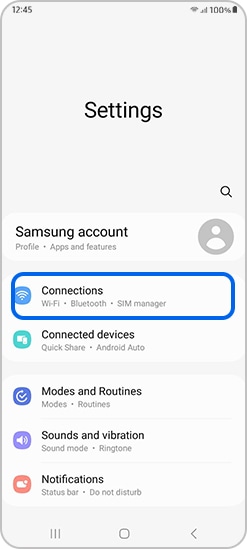
Tap Connections
![Select connections]()
4
Tap Mobile networks
![Select mobile networks]()

5
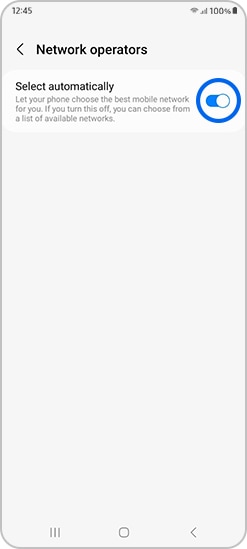
Tap the switch button to turn Select automatically off
![Select network automatically]()
Thank you for your feedback!
Please answer all questions.
*Operates as a price discount: Buy the larger storage variant (512GB) by 10/03/26 and pay the future price of the smaller storage variant (256GB).