What to do if S Pen isn't working with Galaxy phone screen
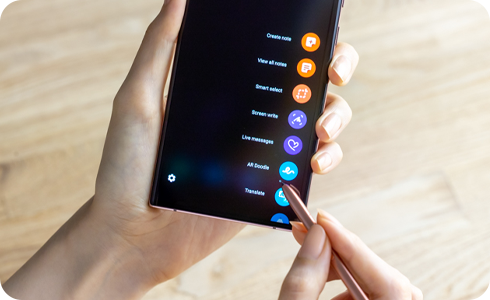
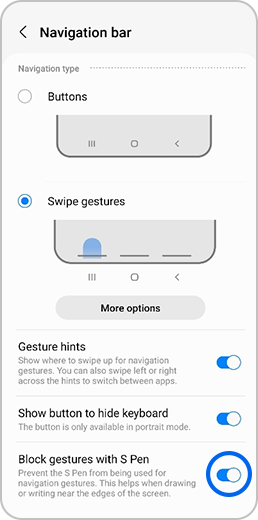
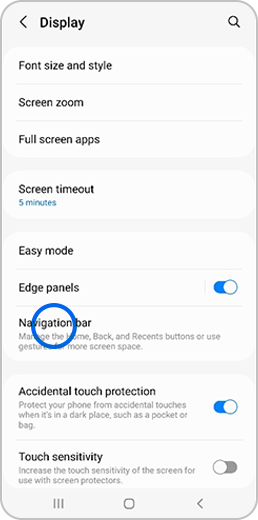
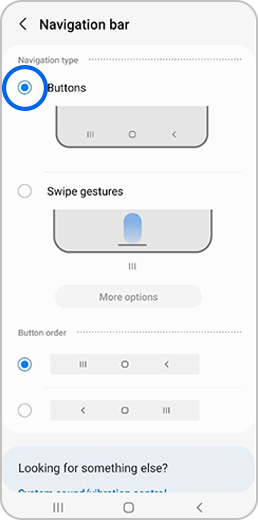
If ‘Swipe gestures’ mode in the Navigation bar menu is switched on, your S pen may not work properly on the bottom part of your device’s display. This is because your S Pen action may be being recognised as a ‘Swipe gesture’.
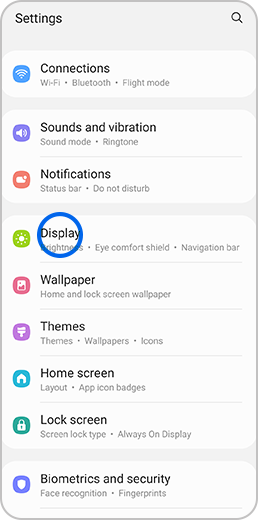
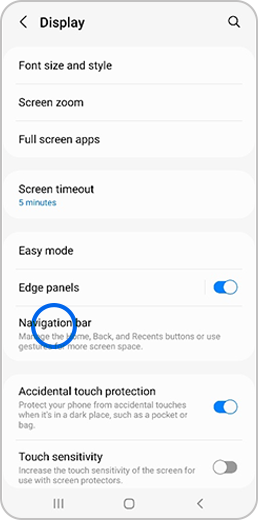
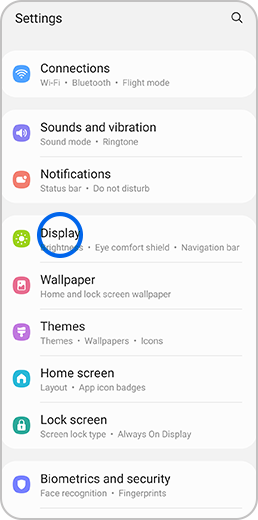
In order for your S pen to work properly on the bottom part of your device’s display, follow the steps below.
Thank you for your feedback!
Please answer all questions.
*Operates as a price discount: Pre-order the Galaxy S26 Ultra larger storage variant (512GB) by 10.03.26 and pay the future price of the Galaxy S26 Ultra smaller storage variant (256GB). Pre-order the Galaxy S26+ larger storage variant (512GB) by 10.03.26 and pay the same price as the Galaxy S26+ smaller storage variant (256GB). Pre-order the Galaxy S26 larger storage variant (512GB) by 10.03.26 and pay the future price of the Galaxy S26 smaller storage variant (256GB).