What do the indicator icons on the Gear 360 camera status screen mean?
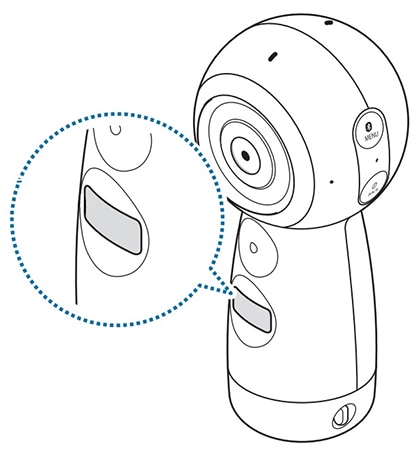
Access menus and view the Gear 360’s status via messages and indicator icons on the camera status screen.
Indicator icons
Indicator icons appear on the camera status screen. You can check the Gear 360’s status on the camera status screen.
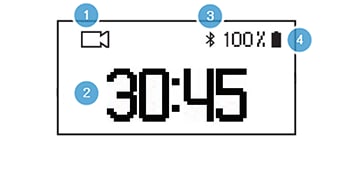

Battery power level.

Battery status: charging.

Battery status: overheating.

Battery status: charger connected improperly.


Connected to a mobile device.

Waiting for a mobile device to connect.

Not connected to a mobile device.

Recording mode.

Recording a video.

Photo shooting mode.

Time lapse mode. Take several photos at set intervals and save them as one video.

Time lapse shooting interval.

Recording a time lapse video.

Video looping mode. Record a video continuously by deleting a set period of the previously recorded content and saving the new content.

Video looping recording time.

Landscape HDR mode. Automatically take three photos, combine them, and then calibrate the colours.

Live broadcast mode.

Broadcasting live video.

Memory card is full.

No memory card.

Memory card error.

Connected to a computer with a USB cable.

USB connection error.
Thank you for your feedback!
Please answer all questions.
*Operates as a price discount: Pre-order the Galaxy S26 Ultra larger storage variant (512GB) by 10.03.26 and pay the future price of the Galaxy S26 Ultra smaller storage variant (256GB). Pre-order the Galaxy S26+ larger storage variant (512GB) by 10.03.26 and pay the same price as the Galaxy S26+ smaller storage variant (256GB). Pre-order the Galaxy S26 larger storage variant (512GB) by 10.03.26 and pay the future price of the Galaxy S26 smaller storage variant (256GB).