How to update your Samsung Galaxy phone or tablet
Galaxy software updates help improve the user interface, enhance security, and remove minor bugs. Follow our quick guide below to update your Galaxy device’s software and keep it operating smoothly.
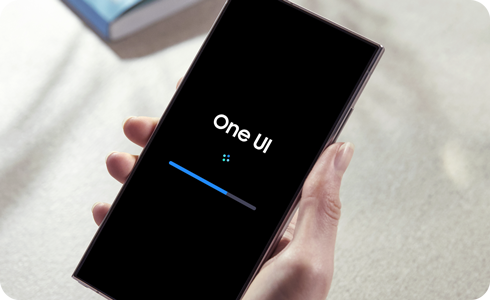
Perform a software update
During the update process, your device cannot be used and files will be inaccessible. Also, some carriers may require your device to be connected to Wi-Fi to check for and install updates.
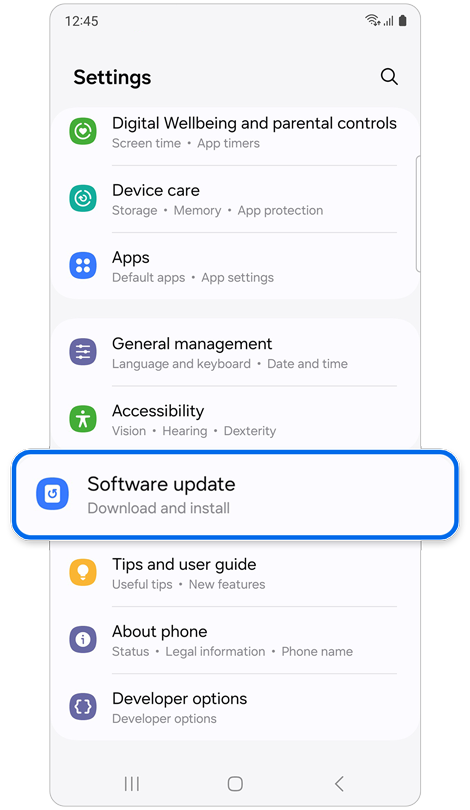
Step 1. Open Settings > Tap Software update.
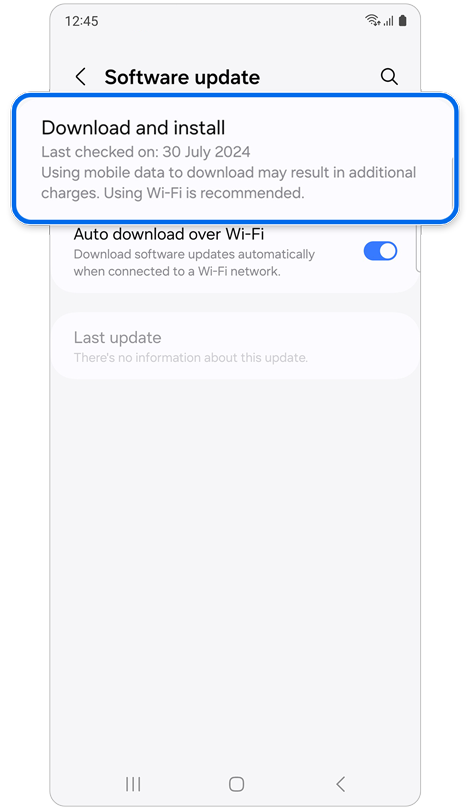
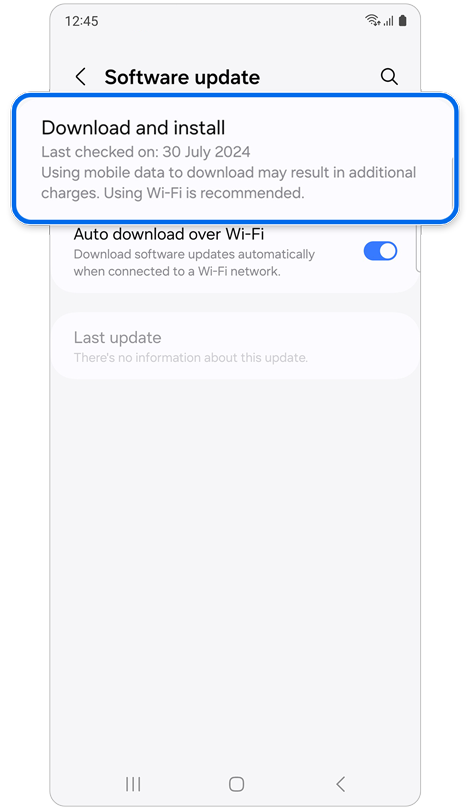
Step 2. Tap Download and install > Tap Install now.
Thank you for your feedback!
Please answer all questions.
*Operates as a price discount: Pre-order the Galaxy S26 Ultra larger storage variant (512GB) by 10.03.26 and pay the future price of the Galaxy S26 Ultra smaller storage variant (256GB). Pre-order the Galaxy S26+ larger storage variant (512GB) by 10.03.26 and pay the same price as the Galaxy S26+ smaller storage variant (256GB). Pre-order the Galaxy S26 larger storage variant (512GB) by 10.03.26 and pay the future price of the Galaxy S26 smaller storage variant (256GB).