How to stop your Galaxy phone or tablet screen going dark & timing out?
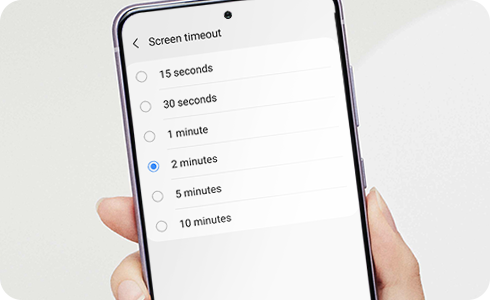
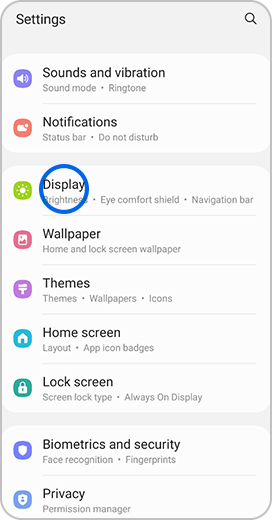
Screen timeout is an option on Samsung devices that will turn the screen off to save battery life. The default is 30 seconds, however if you want to keep your screen on for shorter or longer you can adjust it in settings. Follow the steps below to find out how.
Please note:
- The maximum screen timeout time is 10 minutes.
- It is not possible to set screen timeout to none.



Thank you for your feedback!
Please answer all questions.
*Operates as a price discount: Pre-order the Galaxy S26 Ultra larger storage variant (512GB) by 10.03.26 and pay the future price of the Galaxy S26 Ultra smaller storage variant (256GB). Pre-order the Galaxy S26+ larger storage variant (512GB) by 10.03.26 and pay the same price as the Galaxy S26+ smaller storage variant (256GB). Pre-order the Galaxy S26 larger storage variant (512GB) by 10.03.26 and pay the future price of the Galaxy S26 smaller storage variant (256GB).