How to enable swipe gestures (Swipe from bottom, Gesture hints) on Galaxy devices
With the new update to the navigation bar settings on Galaxy devices, the Swipe from bottom and Gesture hints options have been simplified but can still be enabled via Good Lock's NavStar app.
Please note:
- Effective for NavStar app version v6.1.05.33 and later.
- The Good Lock app supports English, Korean, Japanese, and Simplified Chinese.
By installing Good Lock’s NavStar app, you can further customise your Galaxy device to suit your preferences.
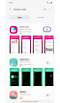

Step 1. Download the Good Lock app from Galaxy Store.
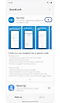

Step 2. Open the Good Lock app > Download NavStar in the Make up tab.
When you activate the Enable extra gesture settings option in the NavStar app, you can see the added options in the navigation bar settings in Display.
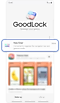

Step 1. Open Good Lock app > Tap NavStar in the Make up tab.
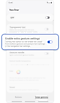

Step 2. Tap the switch On to enable extra gesture settings in the Swipe gestures tab.
After enabling Enable extra gesture settings, additional options appear, such as Button order and Gesture hints.


Step 1. Open Settings > Display.
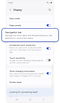

Step 2. Tap Navigation bar.
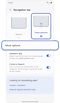

Step 3. Select Swipe gestures > Tap More options.


Step 4. Select the desired swipe gesture and button order.
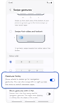

Step 5. Tap the Gesture hints switch to enable the feature.
Thank you for your feedback!
Please answer all questions.
*Operates as a price discount: Pre-order the Galaxy S26 Ultra larger storage variant (512GB) by 10.03.26 and pay the future price of the Galaxy S26 Ultra smaller storage variant (256GB). Pre-order the Galaxy S26+ larger storage variant (512GB) by 10.03.26 and pay the same price as the Galaxy S26+ smaller storage variant (256GB). Pre-order the Galaxy S26 larger storage variant (512GB) by 10.03.26 and pay the future price of the Galaxy S26 smaller storage variant (256GB).