How to connect your Galaxy device to other devices using Connected Devices
In Samsung Galaxy Android 13 OS (One UI5 and later versions), "Connected devices" menu has been added. You can access the connection-related functions provided by the existing Android 12 OS (One UI4) and the functions that work with other devices in one place in the "Connected devices" menu for quicker access. These include Quick Share, Auto switch Buds, Call & text on other devices, Continue apps on other devices, Link to Windows, Samsung DeX, Smart View, SmartThings, Galaxy Wearable, Android Auto.
How to activate connected devices
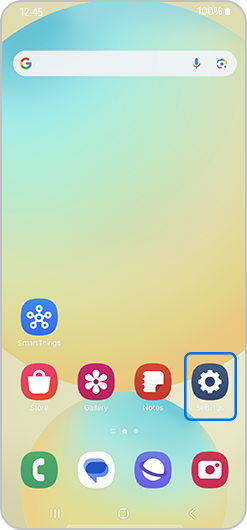
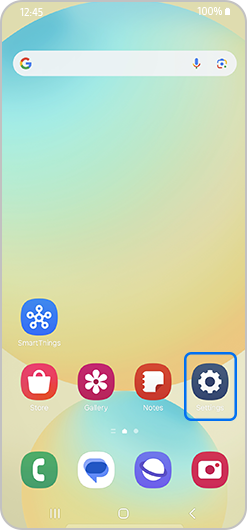
1. Open Settings
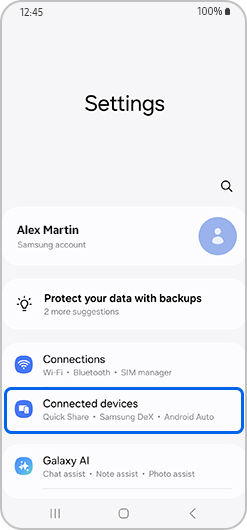
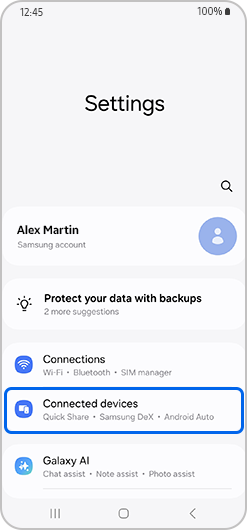
2. Select Connected devices to access Quick Share and other connectivity features
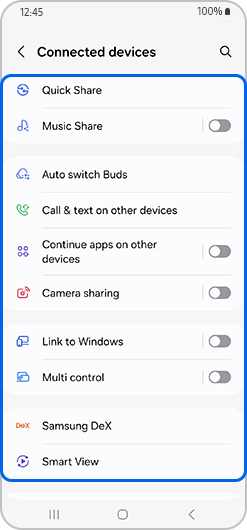
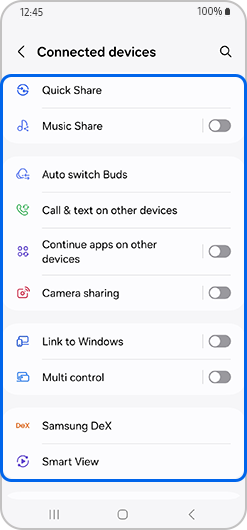
3. Select the desired item to activate device connection
Thank you for your feedback!
Please answer all questions.
*Operates as a price discount: Pre-order the Galaxy S26 Ultra larger storage variant (512GB) by 10.03.26 and pay the future price of the Galaxy S26 Ultra smaller storage variant (256GB). Pre-order the Galaxy S26+ larger storage variant (512GB) by 10.03.26 and pay the same price as the Galaxy S26+ smaller storage variant (256GB). Pre-order the Galaxy S26 larger storage variant (512GB) by 10.03.26 and pay the future price of the Galaxy S26 smaller storage variant (256GB).