How do I change the name of my device?
Your device has a name that is visible when you connect to other devices via Bluetooth or Wi-Fi networks. The default name of your device will normally be the name of your model e.g. Galaxy Tab S3 or Galaxy S8+
You can change the name by going into Settings, choosing About device or About tablet, and then tapping Device name.
Follow the steps below to see how this will show on your screen. Note that your device may appear slightly different depending on your model, operating system and customisation.

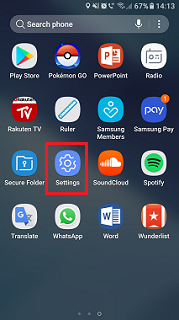
Note that this will appear slightly differently depending on your model, and whether you have a smartphone or a tablet.


Thank you for your feedback!
Please answer all questions.
*Operates as a price discount: Pre-order the Galaxy S26 Ultra larger storage variant (512GB) by 10.03.26 and pay the future price of the Galaxy S26 Ultra smaller storage variant (256GB). Pre-order the Galaxy S26+ larger storage variant (512GB) by 10.03.26 and pay the same price as the Galaxy S26+ smaller storage variant (256GB). Pre-order the Galaxy S26 larger storage variant (512GB) by 10.03.26 and pay the future price of the Galaxy S26 smaller storage variant (256GB).