Continue watching videos after leaving Samsung TV Plus
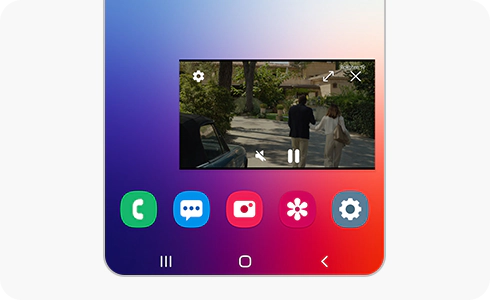
Even if you exit the Samsung TV Plus app, you can keep watching your videos by using Picture-in-picture, one of its most useful features.
How to set up the Picture-in-picture feature
You can continue the video you were watching on Samsung TV Plus by using the “Picture in picture” feature in the settings menu of the app.
Thank you for your feedback!
Please answer all questions.
*Operates as a price discount: Pre-order the Galaxy S26 Ultra larger storage variant (512GB) by 10.03.26 and pay the future price of the Galaxy S26 Ultra smaller storage variant (256GB). Pre-order the Galaxy S26+ larger storage variant (512GB) by 10.03.26 and pay the same price as the Galaxy S26+ smaller storage variant (256GB). Pre-order the Galaxy S26 larger storage variant (512GB) by 10.03.26 and pay the future price of the Galaxy S26 smaller storage variant (256GB).